Connect Notion and Postgres to your AI
Your AI can move rows between your database and Notion, so structured data and your workspace stay aligned. One connection, both tools, works with Claude, ChatGPT, Gemini, and any MCP-compatible AI.
What you can build
- ✓Sync database rows into a Notion database
- ✓Pull a Notion list into your own tables
- ✓Keep a Notion view current from the live database
Connect Notion and Postgres
Connect the one MCP URL
Add the single UniversalBench MCP URL to your AI. It works with Claude, ChatGPT, Gemini, and any MCP-compatible AI.
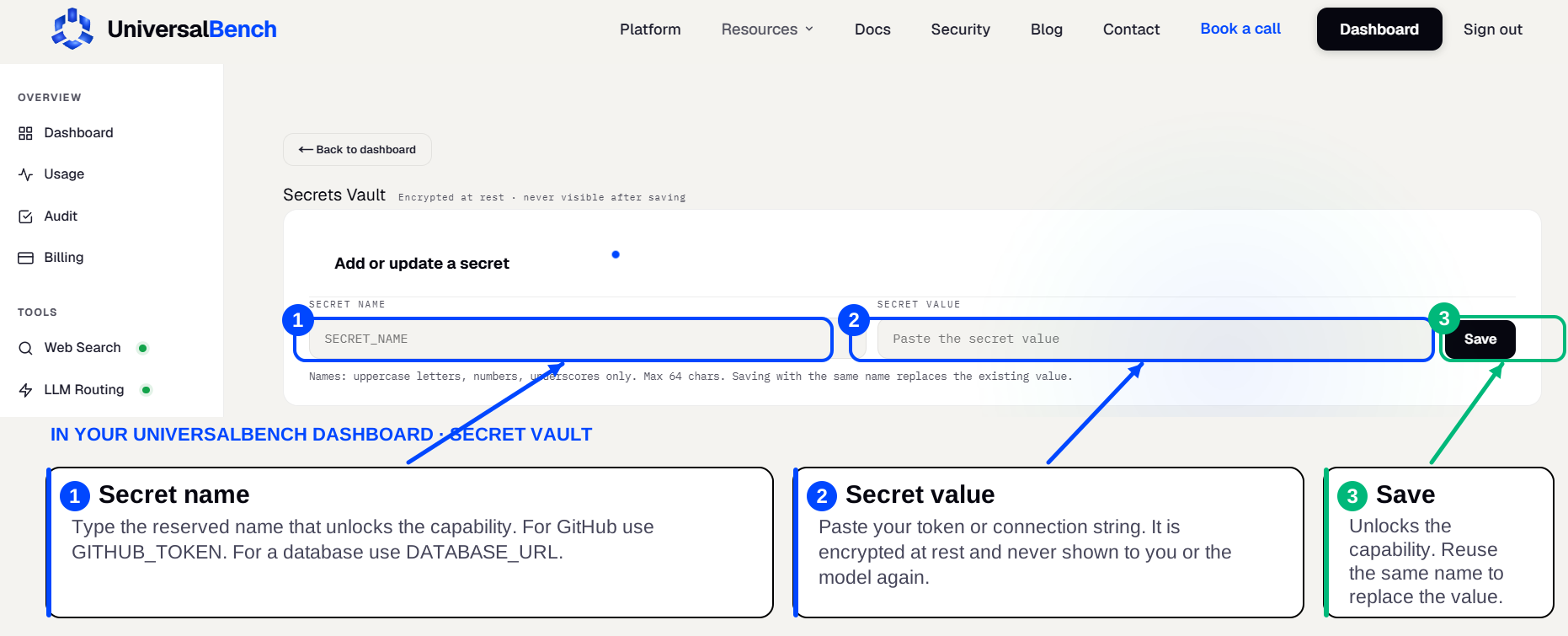
Save your Notion credential
Create a Notion internal integration and copy its token, then save it in your secret vault as NOTION_TOKEN. That name unlocks the Notion capability automatically.
Save your Postgres credential
Take your postgresql:// connection string (any PostgreSQL-compatible database), then save it in your secret vault as DATABASE_URL. That name unlocks the Postgres capability automatically.
Ask in plain language
Ask for the combined workflow in plain language. Your AI does the whole chain across Notion and Postgres, and only the result comes back.
How Notion and Postgres work together
Your AI can move rows between your database and Notion, so structured data and your workspace stay aligned. Behind one MCP URL, UniversalBench runs the work across both tools and returns only the result, so the back and forth never fills your chat. Tokens you save are referenced as placeholders in the request header and substituted at call time, so they never reach the model.
Frequently asked questions
How do I connect Notion and Postgres to my AI?
Add the one UniversalBench MCP URL, then save each tool's credential once in your secret vault (NOTION_TOKEN, DATABASE_URL). After that you ask in plain language and your AI uses both.
Is there a single integration that does both?
Yes. UniversalBench is one MCP server that handles Notion, Postgres, and many other tools behind the same connection, so you set it up once rather than wiring two separate integrations.
Does this work with ChatGPT and Gemini?
Yes. It connects through one standard MCP link, so it works with Claude, ChatGPT, Gemini, and any MCP-compatible AI.
