Connect GitHub and Slack to your AI
Your AI can commit a change to GitHub and post a plain summary to Slack in the same step, so the team sees what shipped without anyone writing the update. One connection, both tools, works with Claude, ChatGPT, Gemini, and any MCP-compatible AI.
What you can build
- ✓Commit a fix and announce it in the channel with the commit message
- ✓Open a change and drop a short summary for review in Slack
- ✓Post a daily list of what landed in the repo
Connect GitHub and Slack
Connect the one MCP URL
Add the single UniversalBench MCP URL to your AI. It works with Claude, ChatGPT, Gemini, and any MCP-compatible AI.
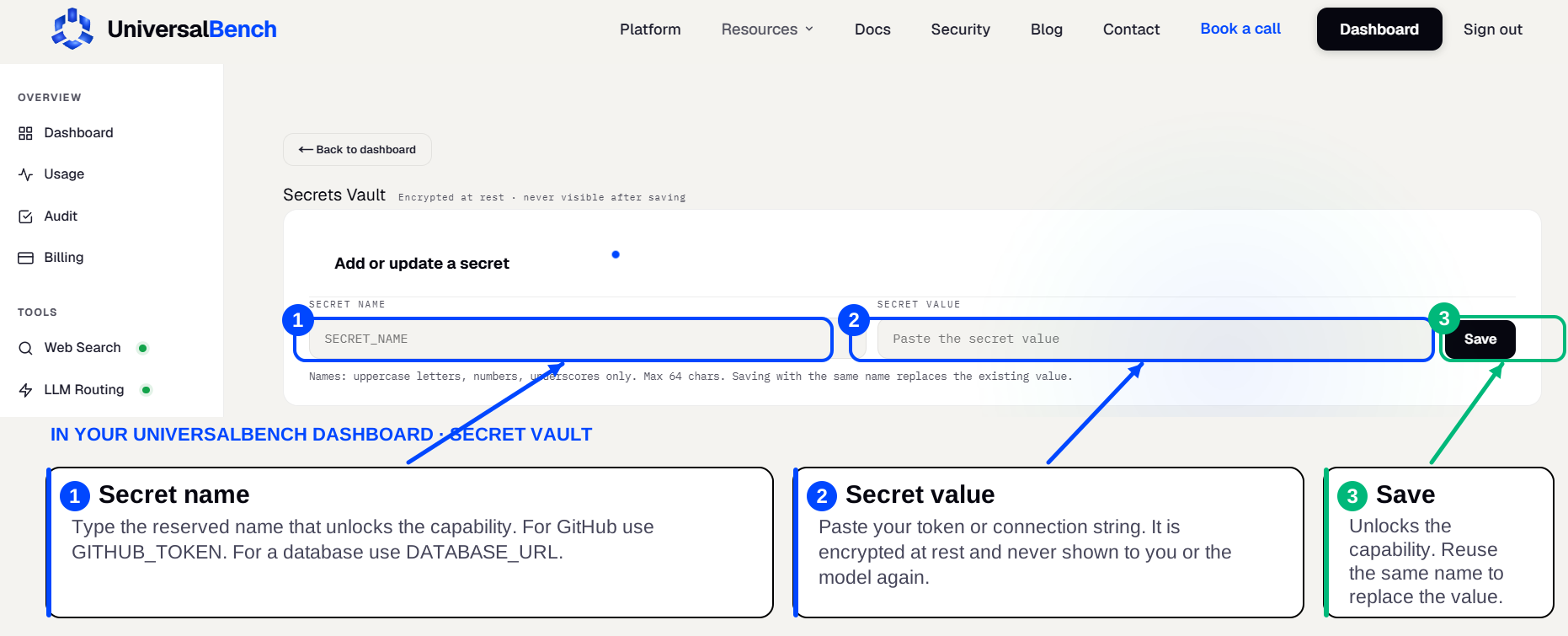
Save your GitHub credential
Create a GitHub token with repo access, then save it in your secret vault as GITHUB_TOKEN. That name unlocks the GitHub capability automatically.
Save your Slack credential
Create a Slack incoming webhook (or a bot token to read through the API), then save it in your secret vault as SLACK_WEBHOOK_URL. That name unlocks the Slack capability automatically.
Ask in plain language
Ask for the combined workflow in plain language. Your AI does the whole chain across GitHub and Slack, and only the result comes back.
How GitHub and Slack work together
Your AI can commit a change to GitHub and post a plain summary to Slack in the same step, so the team sees what shipped without anyone writing the update. Behind one MCP URL, UniversalBench runs the work across both tools and returns only the result, so the back and forth never fills your chat. Every commit is validated and confirmed to load before it lands, with a rollback point kept.
Frequently asked questions
How do I connect GitHub and Slack to my AI?
Add the one UniversalBench MCP URL, then save each tool's credential once in your secret vault (GITHUB_TOKEN, SLACK_WEBHOOK_URL). After that you ask in plain language and your AI uses both.
Is there a single integration that does both?
Yes. UniversalBench is one MCP server that handles GitHub, Slack, and many other tools behind the same connection, so you set it up once rather than wiring two separate integrations.
Does this work with ChatGPT and Gemini?
Yes. It connects through one standard MCP link, so it works with Claude, ChatGPT, Gemini, and any MCP-compatible AI.
