Connect your AI to Slack
UniversalBench lets your AI post and read in Slack through one connection, using a Slack credential you store once, with no separate server to host. It works with Claude, ChatGPT, Gemini, and any other MCP-compatible AI through one connection.
Connect Slack in three steps
To post messages, create a webhook
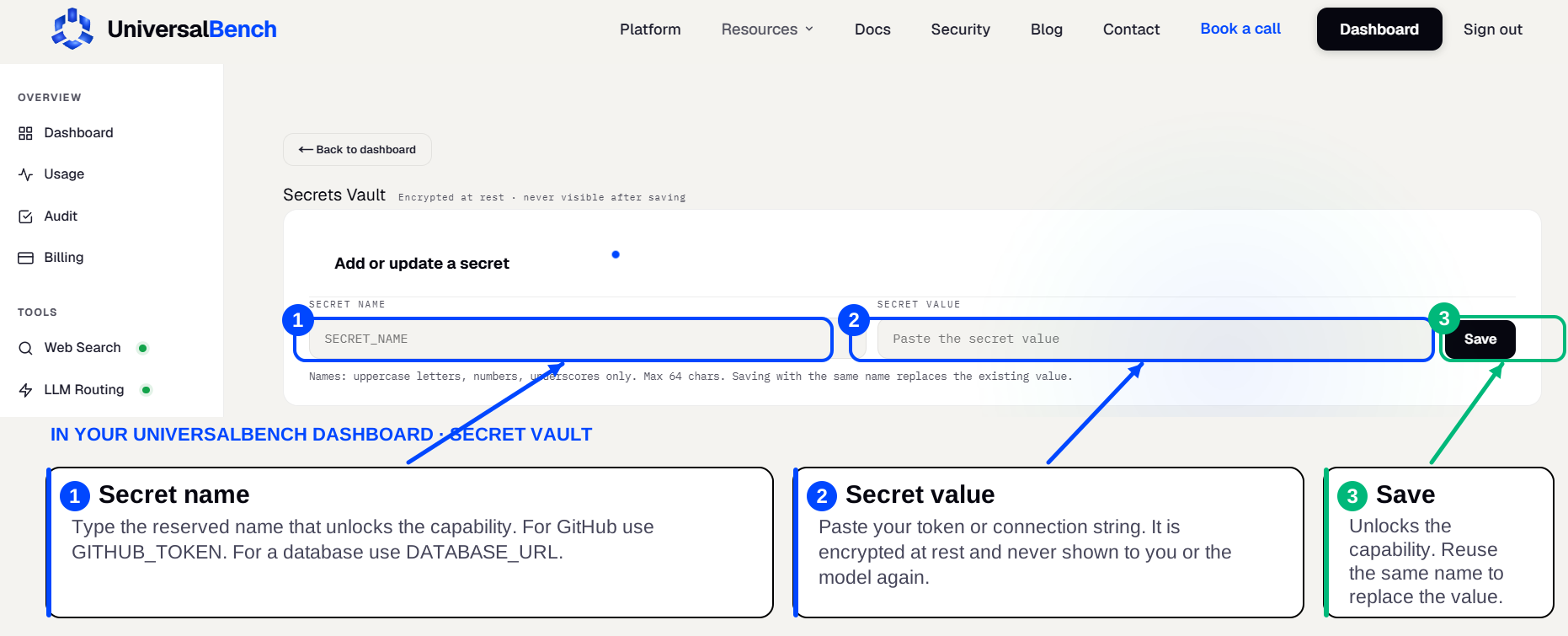
In Slack, add an Incoming Webhook to your workspace and copy its URL. Save it in your UniversalBench secret vault as SLACK_WEBHOOK_URL. Your AI can then post messages to that channel.
To read or post via the API, use a bot token
Create a Slack app with a bot token and the scopes you need, then save the token in the secret vault, for example SLACK_TOKEN.
Connect and ask
Add the MCP URL to your AI. It posts through the webhook, or calls the Slack API and references your token as a placeholder in the header, substituted at call time and never exposed.
What your AI can do
- ✓Post messages with a Slack incoming webhook
- ✓Read and act through the Slack API with a bot token
- ✓Your credential stays in the encrypted secret vault, never in the chat
Is there a Slack MCP server to install?
No separate server to install or host. UniversalBench is the MCP server, and Slack is one of the things it does for your AI behind a single connection. Save your credential once in the encrypted secret vault under SLACK_WEBHOOK_URL and it is used automatically after that.
The same connection also handles posting and reading Slack messages from your AI and more, so one setup covers far more than Slack alone.
Frequently asked questions
How do I connect my AI to Slack?
First, in Slack, add an Incoming Webhook to your workspace and copy its URL. Save it in your UniversalBench secret vault as SLACK_WEBHOOK_URL. Your AI can then post messages to that channel. Then save it in your UniversalBench secret vault under the name SLACK_WEBHOOK_URL, which unlocks the capability automatically. Finally, add the one MCP URL to your AI and ask in plain language.
Where do I put the credential?
In your UniversalBench secret vault, under the name SLACK_WEBHOOK_URL. It is encrypted, used automatically by the matching capability, and never shown back to you or sent to the model in plain text.
Does this work with ChatGPT and Gemini?
Yes. UniversalBench connects through one standard MCP link, so it works with Claude, ChatGPT, Gemini, and any MCP-compatible AI. You paste one URL and the capability is there.
