Postgres MCP Server
Give your AI the power to query and update any PostgreSQL-compatible database, through one hosted MCP server you do not have to install or run. UniversalBench is the server: connect one URL and your AI gets Postgres plus every other capability, with safety built in. Works with Claude, ChatGPT, Gemini, and any MCP-compatible AI.
You do not have to host a Postgres MCP server
There are open source Postgres MCP servers you can download, configure, and run yourself, one capability at a time. UniversalBench takes that off your plate. It is a hosted MCP server, so there is nothing to install, nothing to keep running, and the same single connection also covers databases, code, web search, GitHub, files, and more.
| Self hosted server | UniversalBench | |
|---|---|---|
| Setup | Download, configure, run it | Paste one URL |
| Maintenance | You keep it running | Hosted for you |
| Coverage | Postgres only | Postgres plus 20+ capabilities |
| Safety | You secure it | Guards built in |
| Credentials | Wired into config | Encrypted vault, never shown |
Set up the Postgres MCP server in three steps
Connect the one MCP URL
Add the single UniversalBench MCP URL to your AI: Claude, ChatGPT, Gemini, or any MCP-compatible client. That one server carries this capability and every other.
Save your credential once
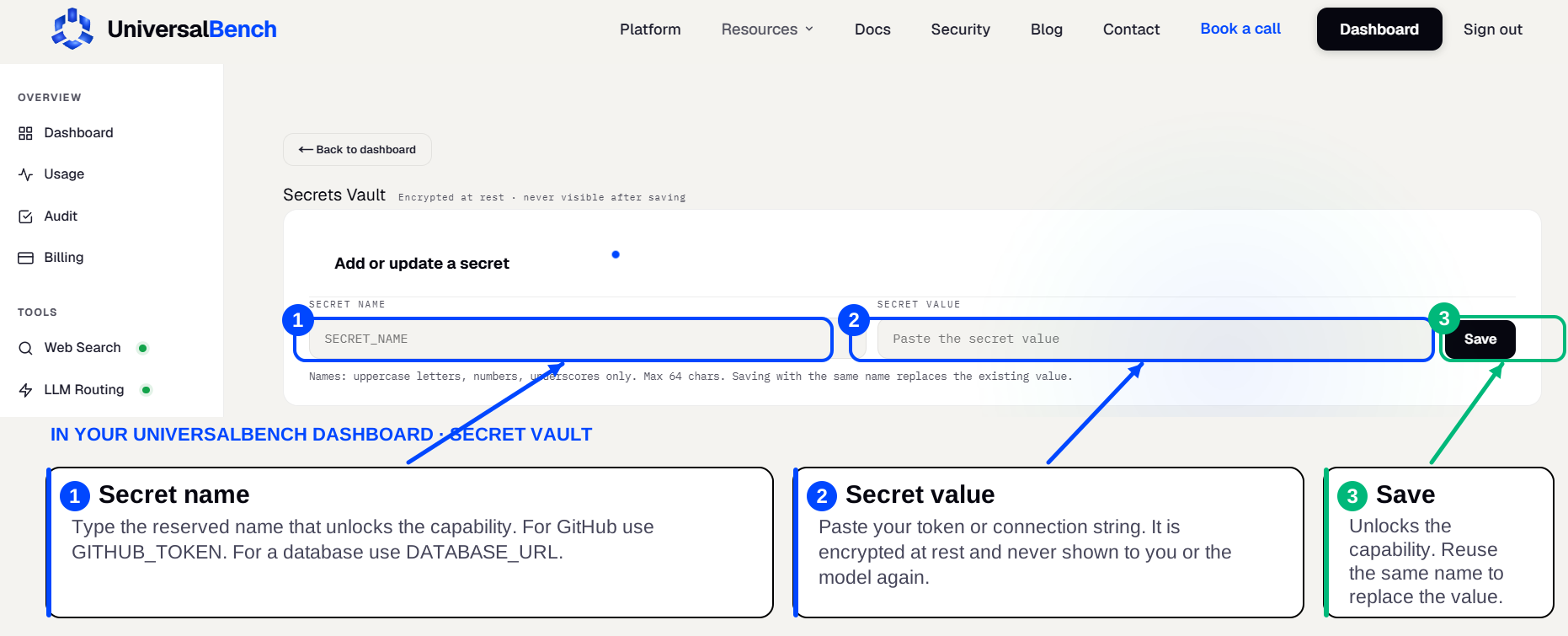
Take your postgresql:// connection string (any PostgreSQL-compatible database), then save it in your secret vault as DATABASE_URL. It unlocks the matching capability automatically and is never shown again.
Ask in plain language
Ask for what you want. The work runs on the hosted server and only the result returns to your chat.
See the Postgres MCP server in action
A real example. You ask a data question in plain language, your AI runs it on the live database, and only the rows that matter come back.
You see the rows first, then change exactly those. Because the query runs on the server and only the result returns, a large table never floods your chat. Writes happen only when you ask for them.
Common things people build with the Postgres MCP server
- ✓Answer a data question in plain language, straight from the live database
- ✓Turn a question into a query without writing SQL by hand
- ✓Enrich or clean rows and write the results back
- ✓Produce a report from the current data on demand
- ✓Sync a table out to a sheet or another system
- ✓Keep a running metric or alert from a query
What your AI can do
- ✓Let your AI query and update any PostgreSQL-compatible database, on demand and in plain language
- ✓Combine it with other tools in one request, no second server to wire up
- ✓Keep your credentials in an encrypted secret vault, never pasted into the chat
Frequently asked questions
Is there an official Postgres MCP server?
There are open source Postgres MCP servers you can self host. UniversalBench is the hosted option: one URL gives your AI Postgres and many other capabilities without running a server yourself.
Do I need to install or host anything?
No. UniversalBench is the hosted MCP server. You paste one URL into your AI and save your credential once in the secret vault, and it works.
Does it work with ChatGPT and Gemini?
Yes. It connects over the standard MCP protocol, so it works with Claude, ChatGPT, Gemini, and any MCP-compatible AI.
