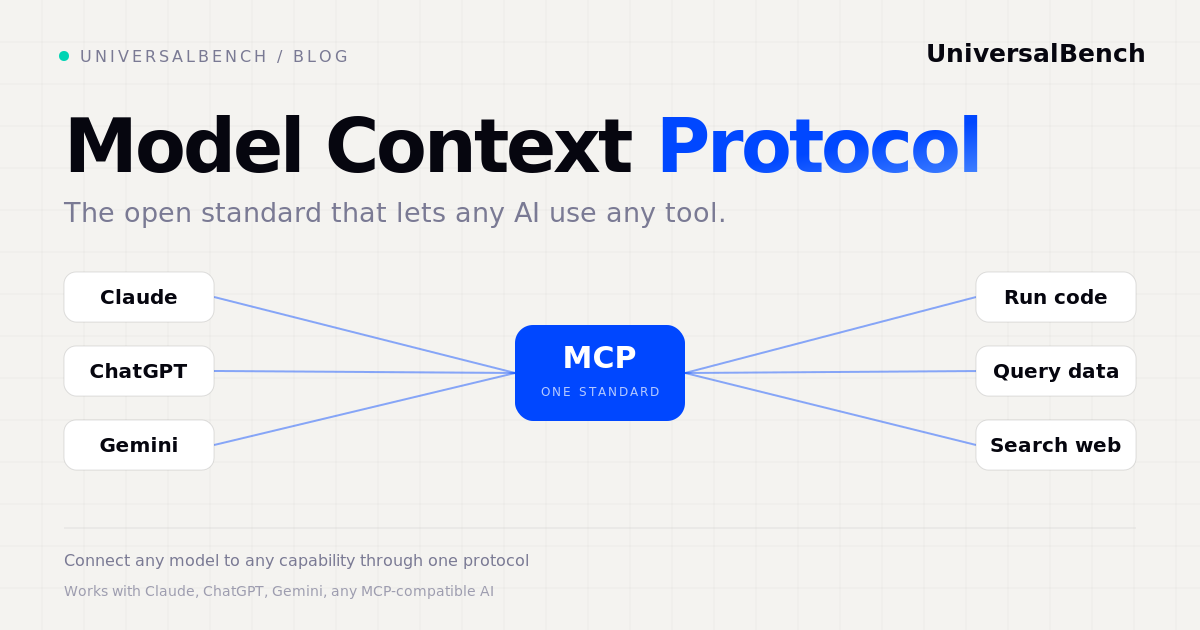
The Model Context Protocol, or MCP, is an open standard for connecting AI models to external tools and data. On its own, a model can only read and write text. It cannot run code, open a database, search the live web, or call an API. MCP defines a common way for a model to reach those capabilities, so any compatible AI can use any compatible tool through a single connection. It was introduced by Anthropic in late 2024 and has since been adopted across the industry. Think of it as a universal standard for plugging tools into AI, the way USB became a universal standard for plugging devices into a computer.
What is the Model Context Protocol?
MCP is a protocol, a shared set of rules. It describes how an AI application asks for a capability and how a tool provider answers. Because the rules are open and standard, the same tool works with many different models. Claude, ChatGPT, Gemini, and other AI clients can all speak MCP, so a tool built once is usable everywhere. Before MCP, every team wired each model to each tool by hand. MCP replaces that tangle with one common interface.
Why MCP exists
The problem MCP solves is combinatorial. If you have several AI models and several tools, connecting them one by one means building and maintaining a custom integration for every pair. That work grows fast and breaks often. A shared standard collapses it. Each model learns to speak the protocol once, each tool implements it once, and any model can then reach any tool. The result is less custom code, fewer broken integrations, and a tool ecosystem that any AI can draw on. For a wider view of this layer, see AI agent infrastructure: the missing layer.
How MCP works
An MCP setup has three parts. The client is the AI side, the model or app that wants to use a capability. The server is the tool side, a program that exposes capabilities and does the work. The tools are the individual capabilities a server offers, such as run code or search the web. When a client connects to a server, it automatically discovers every tool that server exposes, then calls them as needed. You do not wire any of this by hand. To go deeper on the tool side, read what an MCP server is and how to connect one.
What you can do with MCP
A capable MCP server turns a chat model into something that gets work done. The usual capabilities are running code in an isolated sandbox, reading and writing databases, searching the live web, calling any API, and committing files or code. The key idea is that the work happens on the server, not inside the model. The model asks for a result and reads the finished answer. That is what makes the pattern both safer and far cheaper. In one log analysis test, doing the work on the server instead of in the chat cut input tokens by 96.5 percent, and the server answer was correct where the in-chat answer was wrong.
How to start using MCP
You do not need to write code to use MCP. The steps are simple:
- Pick an MCP server that offers the capabilities you need, such as code execution, data access, and web search.
- Get its connection URL. A hosted server gives you one URL tied to your account.
- Add it to your AI client. In Claude.ai you add it as a connector. In the Anthropic Messages API you pass it in the
mcp_serversparameter. Other MCP-compatible apps have a similar field. - Ask in plain language. Once connected, the model sees the tools and uses them when your request needs them.
Because MCP is a standard, the same server works with Claude, ChatGPT, Gemini, and any MCP-compatible AI.
MCP and safety
Giving a model the power to run code and reach your data only makes sense if safety sits below the agent, where the model cannot argue its way around it. A well built MCP server enforces its guarantees in code:
These run underneath the model, so they hold even when the AI is wrong. For more, read what MCP security actually takes.
Doing it with UniversalBench
Here is the part that changes your workflow: you do not build any of this yourself. You connect one URL and ask in plain language. Paste your UniversalBench address, universalbench-mcp.penantiaglobal.workers.dev/u/your-key, into Claude, ChatGPT, Gemini, or any MCP-compatible AI. That single connection is the whole setup.
Then you ask, for example:
"Pull yesterday's error count from my logs and tell me what actually broke."
Behind that one request, UniversalBench:
- reads your data over the one MCP connection
- runs the analysis in real code on the server, instead of the model guessing from text
- hands your AI only the finished answer, the number and the cause
One connection turns a chat model into something that gets the work done. Because the work happens on the server, your AI reads only a fraction of the raw data. In a log analysis test that pattern cut input tokens by 96.5 percent versus doing the work in the chat. And the guarantees hold the entire way: your AI never ships broken code, never exceeds the cost ceiling you set, and cannot reach a private network.
Common questions about MCP
Who created MCP? Anthropic introduced the Model Context Protocol in late 2024 as an open standard, and it has been adopted broadly since.
Is MCP only for Claude? No. It is an open standard, so it works with Claude, ChatGPT, Gemini, and any MCP-compatible AI.
What is the difference between an MCP client and an MCP server? The client is the AI side that requests a capability. The server is the tool side that provides it and runs the work.
Do I need to code to use MCP? No. You connect a server URL to your AI client and then ask for what you want in plain language.
Is it safe to let an AI reach my database over MCP? With the right server, yes. Credentials stay in an encrypted vault the model never sees. See safe AI database access.
Use MCP without the setup
Connect one URL and your AI can run code, query data, search the web, and call any API over the Model Context Protocol, with safety enforced below the agent.
Get your API key