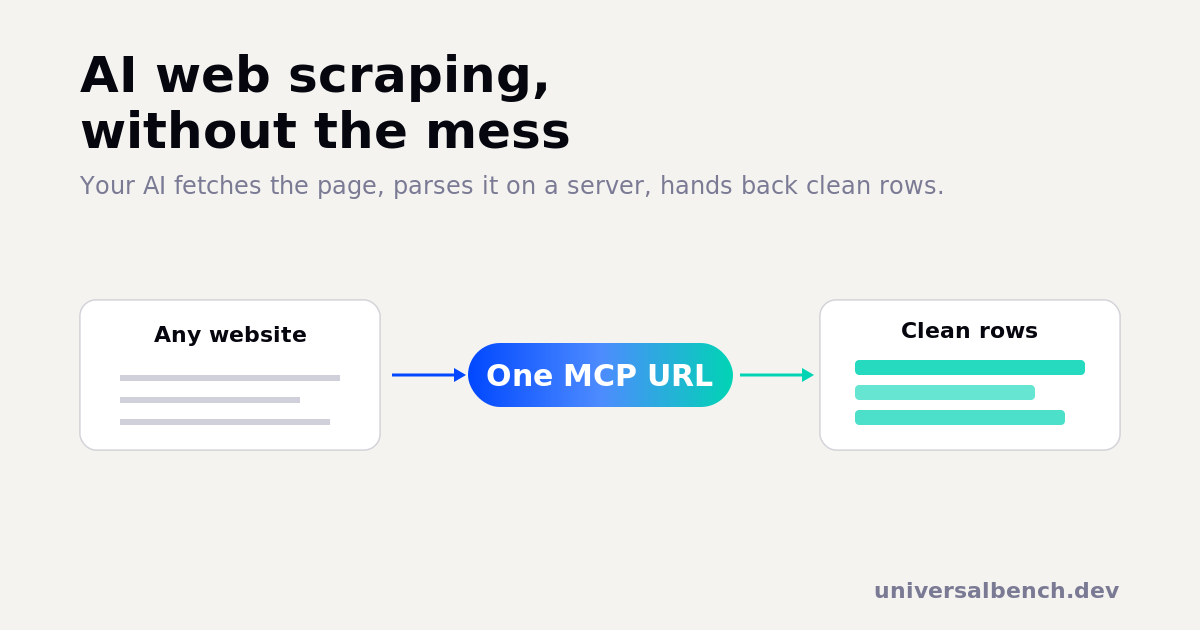
AI web scraping means using an AI to pull the information you want out of a web page, prices, listings, contact details, article text, a table of numbers, described in plain language instead of written as a scraper script. The page is fetched, the useful parts are parsed out, and you get back clean, structured data. What makes it actually work is where the parsing happens. A chat model on its own cannot open a URL, and pasting a page's raw HTML into the chat is slow, expensive, and unreliable. The reliable way is to let the AI fetch and parse the page on a server and return only the clean result. This guide covers what AI web scraping is, why the obvious approach fails, and how to do it on any AI without writing code.
What is AI web scraping?
AI web scraping is asking, in plain English, for specific data from a website and getting it back in a usable shape. Traditional scraping means writing a script that targets exact page elements with selectors or XPath, then maintaining that script every time the site changes its layout. AI web scraping flips the work: you say what you want ("every product name, price, and rating from this page"), and the AI figures out how to find it and return it. The result is the same clean table or list, but you describe the goal instead of coding the extraction.
The important detail is that the AI is not magic. It still needs a way to actually reach the page and a place to run the extraction. That is the part most people get wrong.
Why pasting a page into a chat does not work
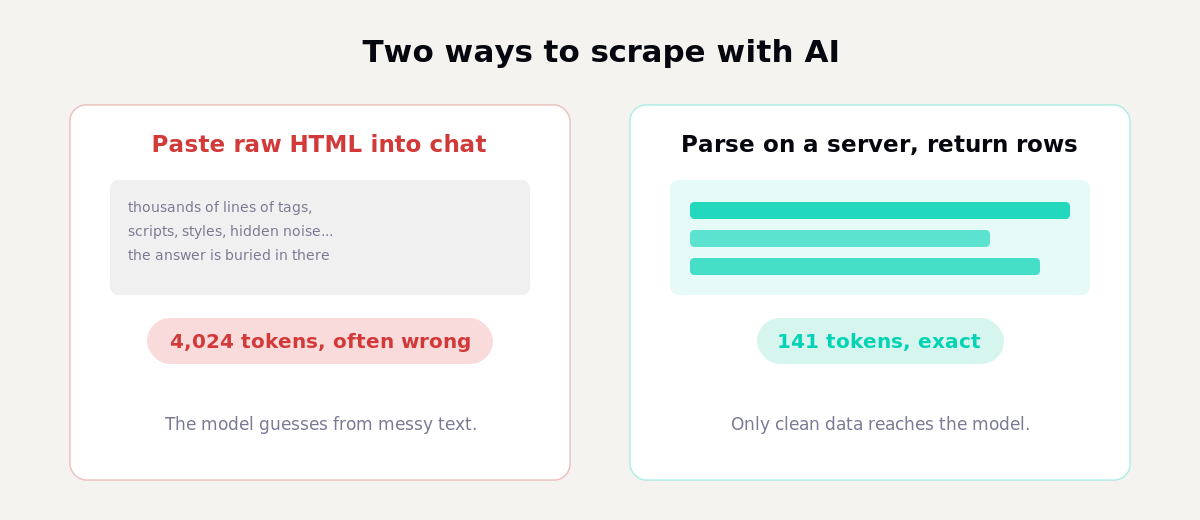
The first thing people try is copying a page's HTML into the chat and asking the model to read it. Two things go wrong. First, a raw web page is mostly noise: tags, scripts, styles, tracking, hidden markup. The few values you care about are buried in thousands of lines, and the model has to wade through all of it. That burns a large number of tokens and makes the model slower and more likely to miss or invent a value.
We measured the same effect on a structured-data task: handing a model the raw input cost 4,024 tokens and it still got the answer wrong, while parsing the data on a server and returning only the result cost 141 tokens and was exact. That is a 96.5% reduction, and accuracy went up, not down. A messy HTML page is the same problem, only worse, because there is far more noise per useful value.
Second, most chat models cannot fetch a URL at all on their own. Ask one to read a live page and it will tell you it cannot browse the web. So the naive approach is both the expensive way and, for live pages, often impossible.
How AI web scraping actually works
The reliable pattern has three steps, and only the last one touches the model:
1. Fetch the page. A tool retrieves the live page on a server, so the AI is working with the real current content, not a stale copy or a refusal to browse.
2. Parse it on the server. Code runs against the page and pulls out just the fields you asked for, the product rows, the prices, the table. This happens off the model, where running code is fast, exact, and free of guessing.
3. Return only the clean data. The model receives a small, tidy result, a table or a list, not the raw page. It uses that to answer you, build a file, or run the next step.
Because the heavy lifting happens in code and only the clean result reaches the model, this is both cheaper and more accurate than dumping HTML into a prompt. The model does what it is good at, understanding your request and presenting the result, and leaves the mechanical extraction to code.
How to scrape a website with AI, step by step
You do not need to build any of this yourself. UniversalBench gives your AI the ability to fetch and parse pages behind a single connection, so you can scrape from inside a normal chat. Here is the whole flow.
Connect one URL. Paste your UniversalBench connection into your AI as an MCP server:
https://universalbench-mcp.penantiaglobal.workers.dev/u/your-key
It works with Claude, ChatGPT, Gemini, or any MCP-compatible AI. No separate dashboard, no scraper to deploy.
Ask in plain language. Once connected, you just describe the job:
"Fetch this page and give me every product name, price, and rating as a table I can download as CSV."
What happens behind that one request:
1. UniversalBench fetches the live page on a server.
2. It runs code to pull out the exact fields you named.
3. It returns a clean table to your AI, not the raw HTML.
4. Your AI hands you the table, or the CSV file, ready to use.
The same request that would have cost thousands of tokens and a wrong answer becomes a small, exact result. And three guarantees run underneath every call: the AI never ships broken code, every run is cost-checked before it executes so a scrape cannot quietly run up a bill, and the connection cannot reach your internal network, so a scraping agent can never be steered at your own private systems.
Getting clean structured data, not a wall of text
The point of AI web scraping is structured output you can actually use. Ask for the shape you want: a table, JSON, or a CSV file. Because the extraction runs in code, the AI can return rows with consistent columns instead of a paragraph you have to clean up by hand.
It also composes. You can fetch a list page, follow each link, pull the same fields from every detail page, and combine them, all in one request, because the looping happens server-side. And once the data is clean, the next step is usually analysis: totals, trends, outliers. That is the same engine doing the math instead of the model guessing, which we cover in AI data analysis. Scrape, then analyze, in the same conversation.
Is AI web scraping allowed?
Scraping publicly visible information is common and widely done, but it is not a free pass. Respect each site's terms of service and its robots rules, do not hammer a server with rapid-fire requests, and be careful with copyrighted content and anything that counts as personal data under laws like the GDPR. Logging in to a site to scrape behind its authentication, or ignoring an explicit block, is where teams get into trouble. This is general information, not legal advice; if a project is commercial or large-scale, check the rules for your jurisdiction and the specific sites.
One safety note specific to how this is built: UniversalBench blocks requests aimed at private and internal network addresses by design, so an AI given scraping power cannot be turned around and pointed at your own internal services. That guardrail is on by default.
Where AI web scraping fits, and where it does not
Being honest about the boundary matters. UniversalBench is the infrastructure that lets your AI fetch a page, parse it, and return clean data safely. It is not a dedicated anti-bot scraping service with rotating residential proxies and CAPTCHA solving. For a handful of targets that fight scrapers hard, or for crawling millions of pages, a specialised scraping API is the right tool, and you can still hand its output to your AI to parse and analyse.
For the everyday case, though, read a page or a set of pages, pull out the fields you need, and put them to work, doing it through your AI is the simplest path. There is nothing to deploy, the output is structured, the cost is a fraction of pasting HTML, and the safety controls are built in.
Questions about AI web scraping
Can ChatGPT or Claude scrape a website on their own?
Not by default. A chat model cannot open a live URL, and if you paste the HTML in, it reads it as noisy text and often guesses. They can scrape once you connect a tool that fetches and parses pages for them, which is what an MCP connection like UniversalBench provides.
What is the difference between an AI web scraper and a web scraping API?
A traditional web scraping API expects you to specify exactly what to extract, often with selectors, and frequently focuses on getting past bot defences. An AI web scraper lets you describe the data in plain language and figures out the extraction, then hands the clean result to your AI to use or analyse. UniversalBench sits on the AI side: fetch, parse, and return structured data through one connection.
How do I extract a table or prices from a page with AI?
Connect UniversalBench to your AI, then ask for it directly, for example "pull every row of this pricing table as CSV." The page is fetched and parsed on a server, and you get back clean columns rather than a screenshot or a wall of text.
Is AI web scraping accurate? Yes, when the parsing runs in code rather than in the model's head. Returning only the computed result, instead of asking the model to read raw HTML, is what removes the guessing and cuts the token cost by up to 96.5%.
Does it work across many pages?
Yes. Because the fetching and looping happen server-side, you can pull the same fields from a list of pages in one request. For very large crawls or sites with aggressive anti-bot defences, pair it with a dedicated scraping service and let your AI handle the parsing and analysis.
Related reading: what an MCP server is, the Model Context Protocol explained, how we cut token costs by 96.5%, and AI data analysis for what to do with the data once you have it.
